Ask and verify a cited answer
Ask a focused question, inspect evidence and follow the original source before acting.
3 minutes
What you'll achieve
You can tell which part of an answer is supported and where the evidence came from.
Ask, inspect and verify
- 1
Open Ask and write one focused question with the product, project or policy name.
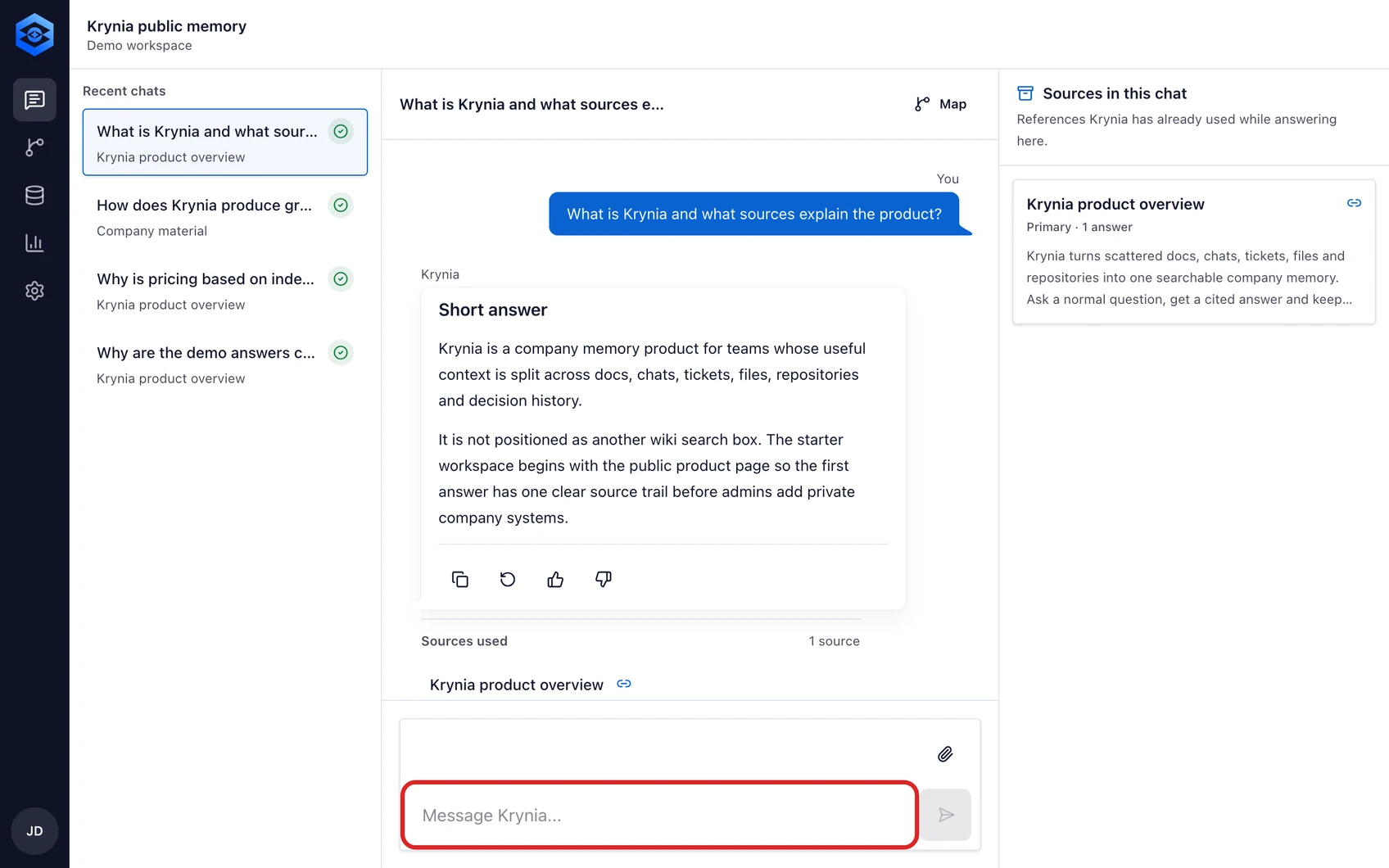
The red outline shows the control or area used in this step. - 2
Send the question and wait for the cited answer to finish.
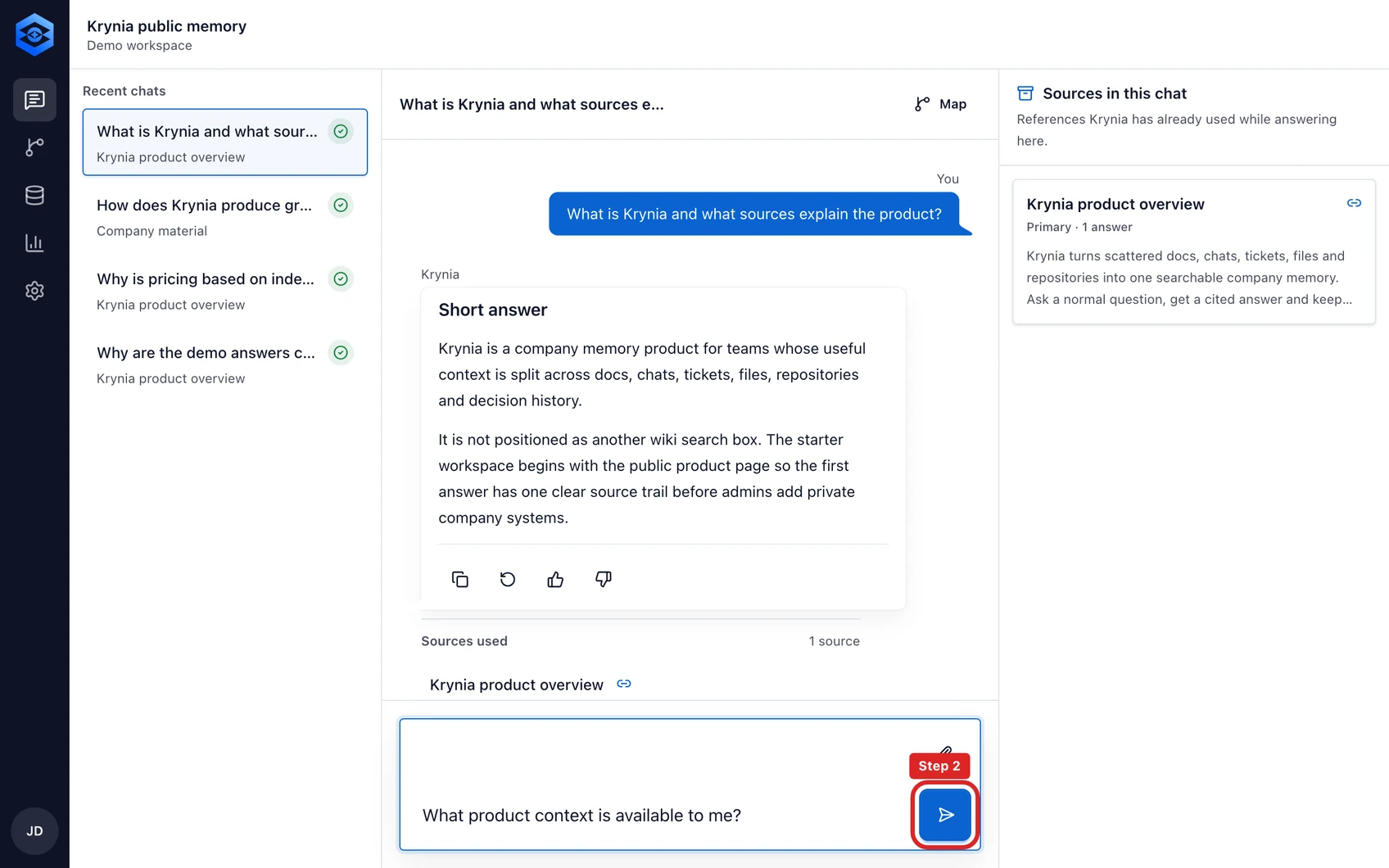
The red outline shows the control or area used in this step. - 3
Read the answer first, then compare its claims with the citation chips below it.
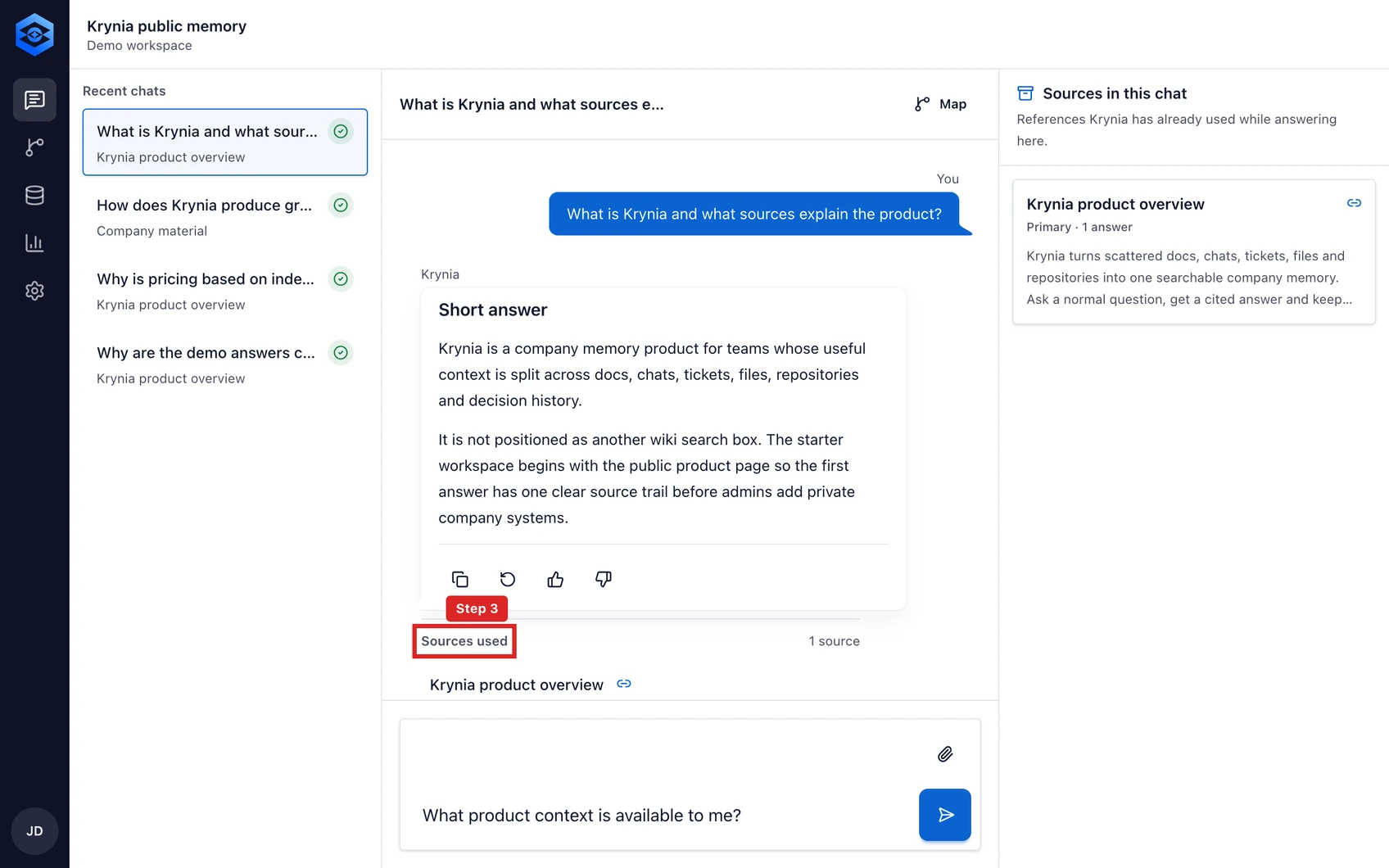
The red outline shows the control or area used in this step. - 4
Open Answer details when you need retrieval scope, confidence or the full evidence list.
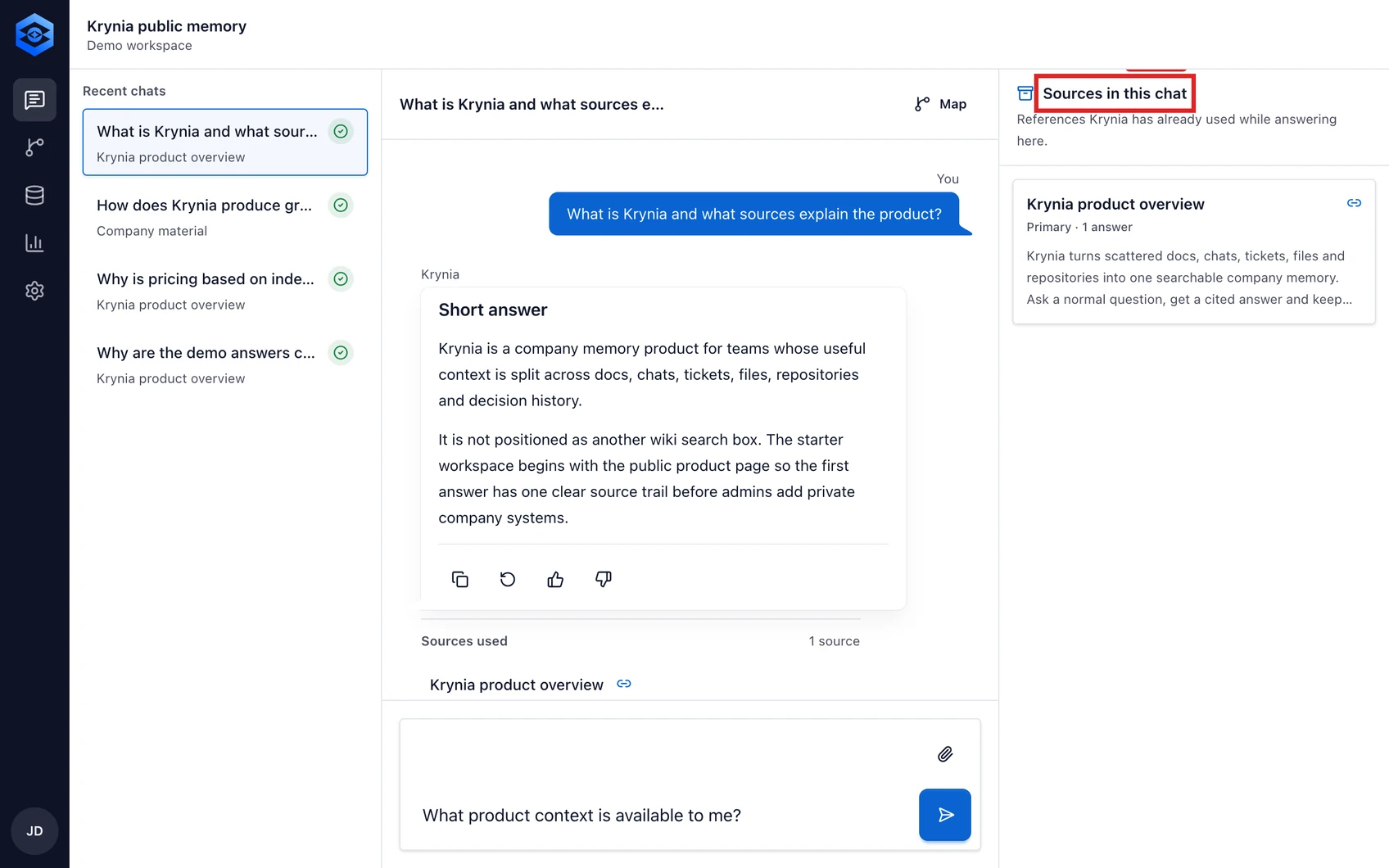
The red outline shows the control or area used in this step. - 5
Open the original source before using the answer for a sensitive or irreversible decision.
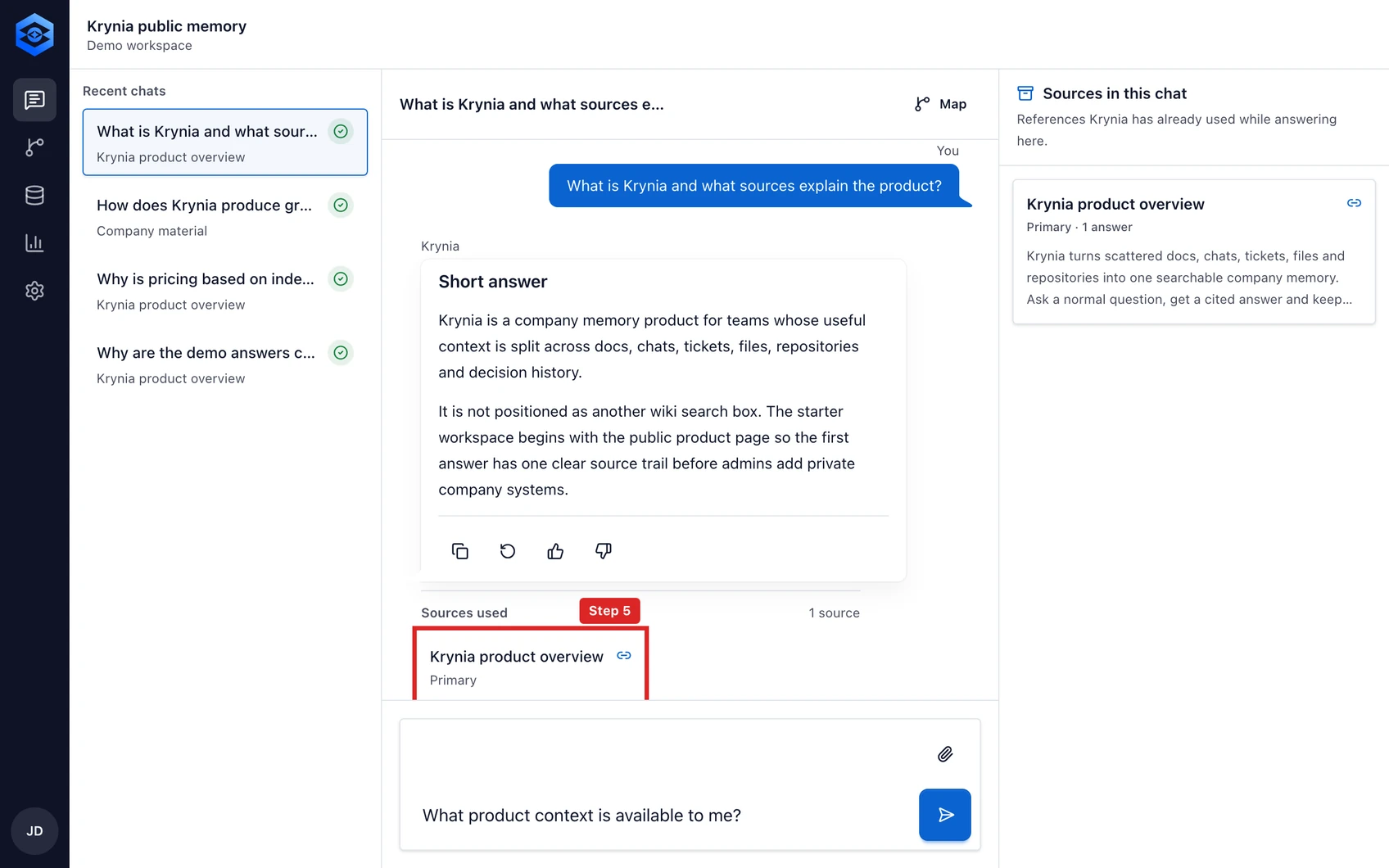
The red outline shows the control or area used in this step.


